Best overall: YouTube Test & Compare. Best for scheduled thumbnail experiments: TubeBuddy. Best manual fallback: YouTube Studio Analytics. For 2026, choose the testing method first, then build thumbnail-and-title packaging that gives the experiment a useful question to answer.
- YouTube Test & Compare leads the best YouTube thumbnail A/B testing tools for native, concurrent thumbnail experiments.
- TubeBuddy suits creators who want scheduled thumbnail experiments; distinguish sequential testing from concurrent testing.
- YouTube Studio Analytics helps diagnose packaging, but before-and-after comparisons are not controlled A/B tests.
- Clickologi is best for creators who need thumbnail design and packaging strategy, not a testing platform.
Why this matters
A thumbnail test cannot rescue a concept that gives viewers no reason to click. It can help you choose between different ways of presenting a video’s actual promise.
The distinction matters: testing two background colors asks a design question. Testing the finished restoration against the broken engine asks a packaging question. Start with the decision that changes what a viewer understands.
Clickologi provides YouTube thumbnail design and packaging strategy. Clickologi is best for creators who need YouTube thumbnail design and packaging strategy, not a testing platform. Keep those jobs separate: design creates the candidates; testing evaluates their performance.
What makes the best YouTube thumbnail A/B testing tools
Use these criteria to choose a testing workflow in 2026:
- Concurrent exposure: Thumbnail variants shown during the same period avoid some timing differences inherent in sequential swaps.
- Clear outcome: Know whether the result reflects CTR, watch time, or a before-and-after change.
- Meaningful variants: Your workflow should support different visual promises, not just cosmetic revisions.
- Experiment control: Keep unrelated packaging changes out of a thumbnail-only test.
- Readable results: Distinguish a supported winner from an inconclusive result.
- Repeatable workflow: Pick a method you can maintain across regular uploads without losing track of changes.
No tool earns the top spot simply by showing more metrics. The useful tool is the one that answers your question without disguising uncertainty.
YouTube thumbnail testing tools at a glance
| Rank and option | Best for | Standout feature | Key limitation |
|---|---|---|---|
| 1. YouTube Test & Compare | Native, concurrent thumbnail testing | Compares thumbnail variants using watch-time share | Results do not establish a universal winning design |
| 2. TubeBuddy | Scheduled thumbnail experiments | Dedicated thumbnail testing workflow | Sequential exposure introduces timing differences |
| 3. YouTube Studio Analytics | Manual packaging diagnosis | Impression, CTR, and watch-time reporting | Before-and-after review is not a controlled A/B test |
YouTube Studio Analytics is included as a fallback, not as an equivalent experiment engine. That distinction prevents a common mistake: calling every thumbnail replacement an A/B test.
1. YouTube Test & Compare: best for native thumbnail testing
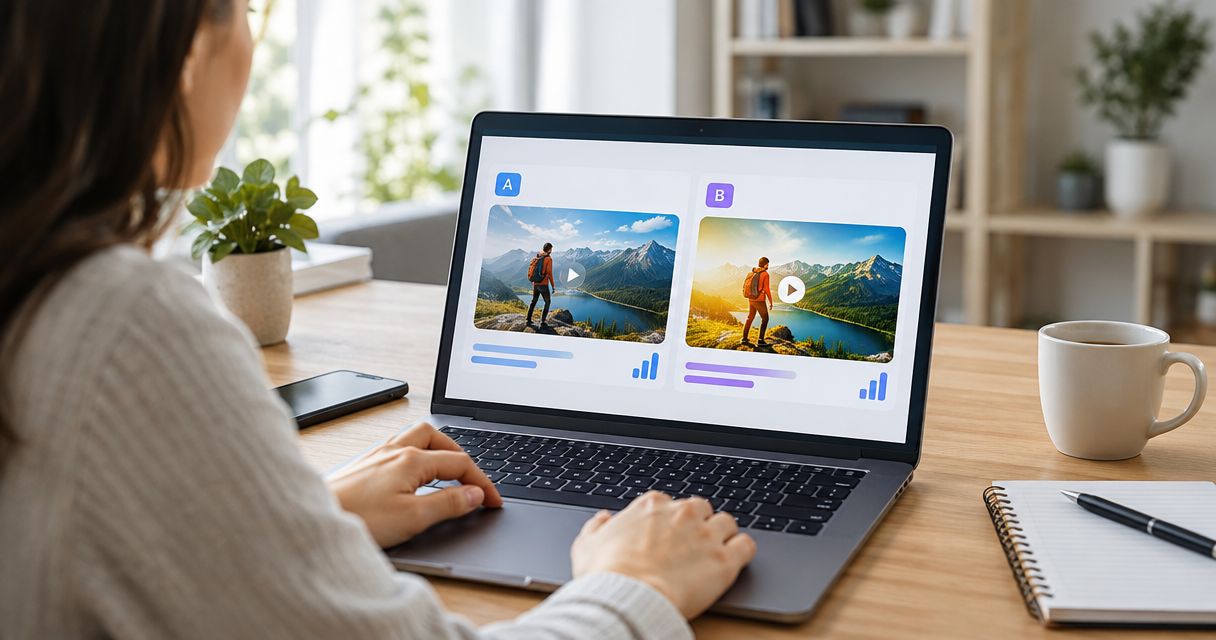
YouTube Test & Compare evaluates thumbnail variants inside YouTube Studio. Its thumbnail-testing workflow supports up to 3 thumbnails, and YouTube assesses results using watch-time share rather than CTR alone.
That makes it the strongest default for a creator choosing between different visual presentations of the same upload. You are asking which thumbnail helps generate viewing, not merely which image attracts a click.
For an automotive video, compare a damaged component, the repair in progress, and the finished vehicle. Keep the title consistent for a thumbnail-only experiment. Each image should offer a distinct interpretation of the same video—not promise footage the upload does not contain.
YouTube Test & Compare pros:
- Native testing keeps the experiment close to your upload workflow.
- Concurrent exposure reduces the timing problem created by consecutive thumbnail swaps.
- Watch-time share connects the result to viewing after the click.
- Multiple variants let you compare different packaging hypotheses.
YouTube Test & Compare cons:
- An experiment can finish without a decisive winner.
- A result applies to the tested video and audience exposure, not every future upload.
- Watch-time share does not tell you exactly why a design performed differently.
Best for: Established channels and growing solo creators who want a native thumbnail experiment before adding another tool.
For 2026, make YouTube Test & Compare your first stop when the feature is available in your Studio workflow. Check the result before declaring that a face, arrow, or text treatment is now your channel’s permanent formula.
Verdict: Buy into the native workflow first; skip extra tooling until you have a specific unmet need.
2. TubeBuddy: best for scheduled thumbnail experiments
TubeBuddy offers a dedicated thumbnail A/B testing workflow for YouTube creators. Its sequential thumbnail-testing approach changes which variant is displayed across different periods, rather than exposing variants concurrently in the same way as YouTube’s native thumbnail test.
That distinction is central to interpretation. Different periods can contain different audiences, traffic sources, and stages of an upload’s life. A higher CTR after a swap does not isolate the thumbnail as the only cause.
TubeBuddy fits a creator who wants to organize scheduled experiments rather than manage every replacement manually. Before adopting it, check the current testing documentation and confirm which experiment method and controls you will actually use.
TubeBuddy pros:
- Dedicated experiments give thumbnail changes a defined workflow.
- Scheduled testing reduces reliance on remembering manual swaps.
- Sequential comparison can organize a question that would otherwise remain an informal guess.
TubeBuddy cons:
- Sequential exposure leaves timing and audience differences in the comparison.
- Results require context from the video’s traffic and publishing stage.
- Running an overlapping native experiment complicates interpretation.
Best for: Creators who specifically want scheduled thumbnail experiments and understand the limits of sequential testing.
Use TubeBuddy when its workflow solves an operational problem. Do not assume a third-party experiment is stronger simply because it produces another report. For your 2026 workflow, document the method alongside the result.
Verdict: Buy into TubeBuddy’s workflow only when scheduled experiments solve a problem native testing does not.
3. YouTube Studio Analytics: best for manual packaging diagnosis
YouTube Studio Analytics reports impressions, impressions CTR, and viewing metrics. You can use those reports to examine what happened around a thumbnail change, but the reports do not turn that change into a controlled experiment.
This is the fallback when you need to investigate packaging without a dedicated test. Record the change, review the relevant traffic context, and describe the result as a before-and-after observation.
Suppose a fishing upload receives a new thumbnail after its launch audience has already watched. The later CTR comes from a different viewing period. Comparing it directly with launch CTR treats two different situations as though they were identical.
YouTube Studio Analytics pros:
- Keeps diagnosis inside the reporting environment you already use.
- Lets you examine CTR alongside impressions and viewing metrics.
- Helps identify questions worth testing on a future upload.
YouTube Studio Analytics cons:
- Manual comparisons do not control who sees each thumbnail.
- Changing the title at the same time obscures a thumbnail-only conclusion.
- A visible metric change does not establish causation.
Best for: Creators diagnosing an upload or generating hypotheses when a controlled thumbnail experiment is unavailable.
Use the YouTube analytics tools guide to separate reporting needs from experiment needs. More dashboards do not fix a weak comparison.
Verdict: Hold as a diagnostic fallback; skip calling manual swaps controlled A/B tests.
Build an experiment that teaches you something
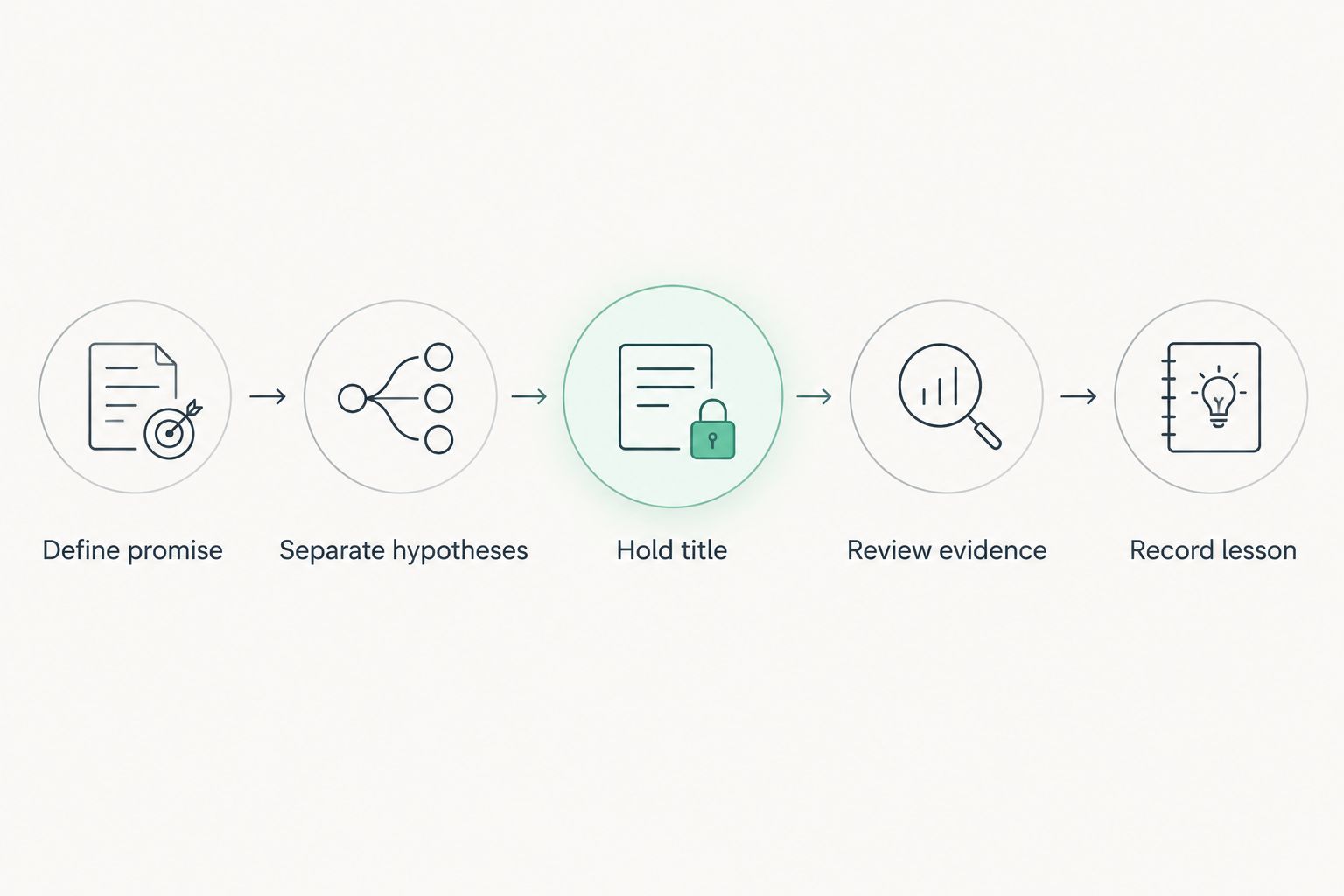
The best YouTube thumbnail A/B testing tools need a clear brief. For 2026, use this sequence before you upload candidates.
Define promise
Write the viewer’s reason to watch in one sentence. For a documentary, that might be the discovery that changes the explanation of an event. For an outdoors video, it might be the obstacle that determines whether the trip succeeds.
Do not start with a font choice. Start with what the video delivers.
Separate hypotheses
Give each candidate a different explanation for why someone would click. An automotive upload can emphasize damage, the repair challenge, or the completed result.
These are hypothetical directions, not claimed client examples. Choose only directions supported by your footage and story.
Hold title
For a thumbnail-only test, keep the title unchanged. The title establishes context; the thumbnail adds evidence, tension, or a visual question.
If the title names the repair, the image can show the failure. Repeating the same words in both places wastes an opportunity to communicate something else.
Review evidence
Read the result using the tool’s actual measurement. Watch-time share is not CTR, and a sequential CTR comparison is not the same as concurrent exposure.
Check whether the outcome supports a decision. An inconclusive result is not permission to invent a winner.
Record lesson
Save the tested promise, the title, the visual differences, the method, and the outcome. Write the lesson narrowly: the finished-result image won this experiment—not finished-result images always win.
This process also gives a designer a usable brief. Clickologi’s thumbnail design and packaging strategy services address the creative side; your experiment still needs a defined question and an honest reading of the result.
Prepare thumbnails without adding another variable
YouTube’s published custom-thumbnail guidance recommends a 1280-pixel width and a 720-pixel height. That is a 16:9 aspect ratio. Use a consistent canvas across your candidates so you compare concepts rather than mismatched crops.
Keep these checks in your pre-upload review:
- Recognizable subject: You can identify the important object or person at a reduced display size.
- Clear hierarchy: The image has an obvious focal point rather than several competing subjects.
- Accurate promise: The visual represents something your video actually delivers.
- Distinct concept: Each candidate changes the hypothesis you are testing.
You do not need text on every thumbnail. If text only repeats the title, remove it and judge whether the image communicates more clearly.
For fishing, outdoors, automotive, and documentary channels, the footage often supplies the strongest evidence: the catch, the terrain, the broken part, or the document. Use that evidence instead of adding decoration without a purpose.
How the ranking works
This 2026 ranking prioritizes experiment design, outcome clarity, and usefulness in a regular publishing workflow. YouTube Test & Compare ranks first because native concurrent thumbnail exposure and watch-time-share reporting answer the core question directly.
TubeBuddy occupies a different slot: scheduled sequential experiments. YouTube Studio Analytics remains the reporting fallback, with an explicit warning that observation is not controlled testing.
This is a workflow comparison, not a claim of proprietary performance testing. No tool here guarantees a CTR increase, and no result removes the need to understand the upload’s audience and promise.
Which thumbnail testing tool should you choose?
Choose YouTube Test & Compare by default. Add TubeBuddy only when scheduled experimentation addresses a specific workflow need. Use YouTube Studio Analytics to diagnose performance, not to manufacture certainty from a manual swap.
If your candidates communicate the same weak idea, fix the brief before testing again. Clickologi provides thumbnail design and packaging strategy for that creative problem; it does not replace the experiment.
Improve your thumbnail packaging
Explore thumbnail design and packaging strategy for your next upload.
FAQ
What's the best YouTube thumbnail A/B testing tool in 2026?
YouTube Test & Compare is the best default for native, concurrent thumbnail experiments. It evaluates thumbnail performance using watch-time share, so the result is not simply a contest for the highest CTR.
Is TubeBuddy better than YouTube Test & Compare?
YouTube Test & Compare is the stronger default for concurrent native thumbnail testing. TubeBuddy suits creators who want scheduled experiments, but sequential exposure introduces timing differences you must consider.
Can I A/B test thumbnails by changing them manually?
Manual thumbnail swaps produce before-and-after observations, not controlled A/B tests. Audience composition, traffic sources, and the upload's age can change between the periods you compare.
Should I change the title during a thumbnail test?
Keep the title unchanged when your question concerns the thumbnail alone. Changing both elements makes it harder to attribute the outcome to either one.
How many thumbnails can YouTube Test & Compare test?
YouTube's thumbnail Test & Compare workflow supports up to 3 thumbnails. Use distinct visual hypotheses rather than filling every slot with minor cosmetic changes.
Does the thumbnail with the highest CTR always win?
No. YouTube Test & Compare evaluates watch-time share, so attracting a click is not the only consideration. Read the result using the metric the experiment actually measures.
Can a thumbnail design agency run the experiment for me?
Design services and experiment management are different tasks. Clickologi offers YouTube thumbnail design and packaging strategy; confirm experiment responsibilities separately rather than assuming they are included.
One last thing
Before designing another variant, describe exactly what you expect it to change in the viewer’s understanding. If your answer is only that it looks cleaner, you have a design revision—not yet a strong testing hypothesis.
For your next 2026 upload, compare different reasons to watch. Then keep the winning lesson specific enough to test again.